Hello!
Today I want to show you how to get a potential tax number online from tax office.
What is a Potential Tax Number?
In Turkey, basically if you want to pay/receive money to/from formal institutions, you will need to get this number. For instance, if you need to make a renting/purchase contract in the notary, receiving money from the bank (physically from the teller), or paying residence permit fee to the immigration office, this number is required to proceed.
Usually, if you need to make this number you need to go to the tax office. For some people this may be a hassle since it only opens on workday + workhours (M-F 10-17) and if you’re unlucky, you may need to queue for some time. Luckily, somehow now we can make the tax number online and I just did that, but it seems like even the locals do not know its existence until I mentioned about it. “Ah I just knew about that…”. So, this is the tutorial for you that has some inquiry in Turkey and have to have a tax number.
Do note this is a “Potential Tax Number” for foreigners. If you’re a Turkish citizen, I’m afraid this is not for you.
How to make it
- Open the link https://dijital.gib.gov.tr/foreigners/kimlikNoBasvuru. To avoid form reset (suddenly the page refreshes and your form fill out resets), try to open it using laptop/computer/desktop. Opening in smartphone will do that reset occasionally, usually when you’re using power saving mode.
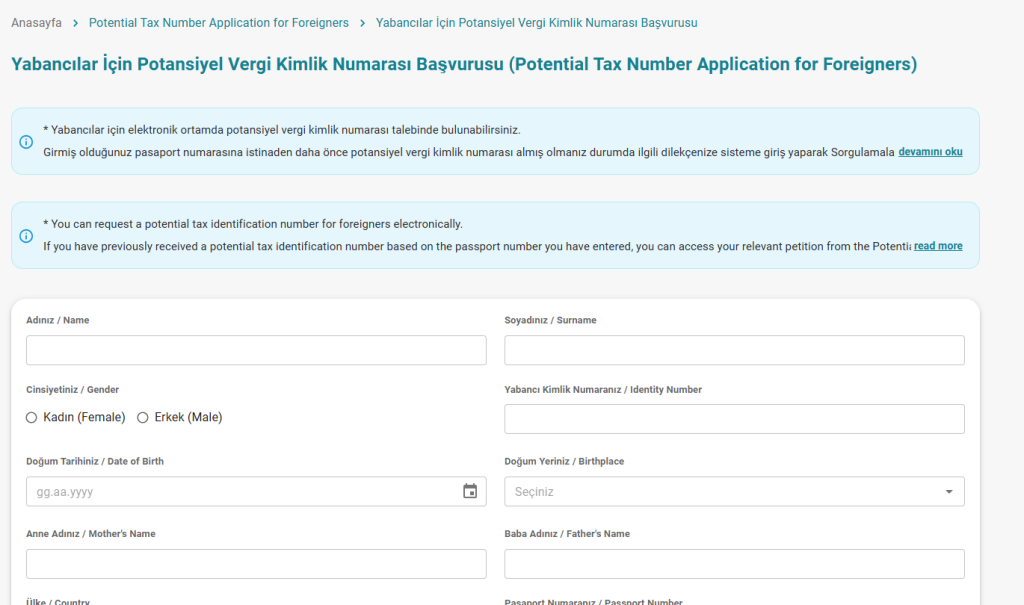
- Fill out the form. Make sure everything is correct. If you don’t have “Identity Number”, you can leave it blank

- For the mobile phone number, although it is recommended to use Turkish phone number (to avoid any problem later on), you can use your own local phone number by clicking the “+90” phone code to change it to yours.
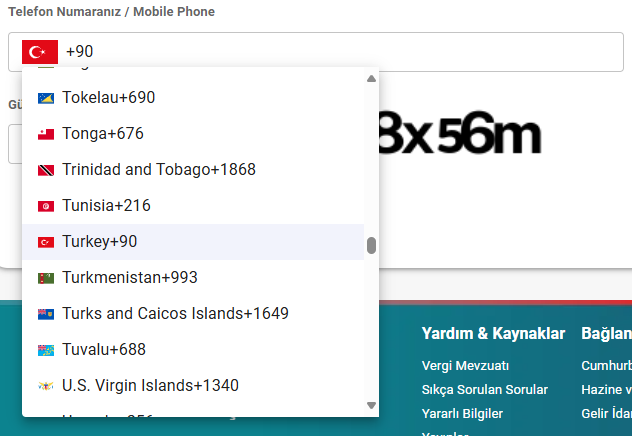
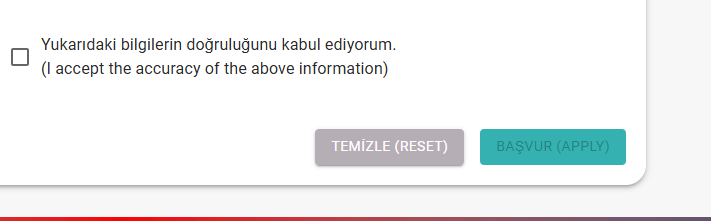
- Fill the security code and check the checkbox on the very bottom

- WARNING! Make sure everything is correct before entering. Anything wrong in the form will force you to fix it in the tax office physically.
- If everything is correct, press “Başvur” or “Apply”
- WARNING! Do not close the window immediately!!! After applying, there will be a window at the bottom of the page that will provide you the PDF file that contains your Tax Number. Save the file, open it, make sure it’s not corrupted. The PDF file will show right below the apply button. If nothing comes up, you need to wait a bit. I don’t have a picture of it since I already finished it.
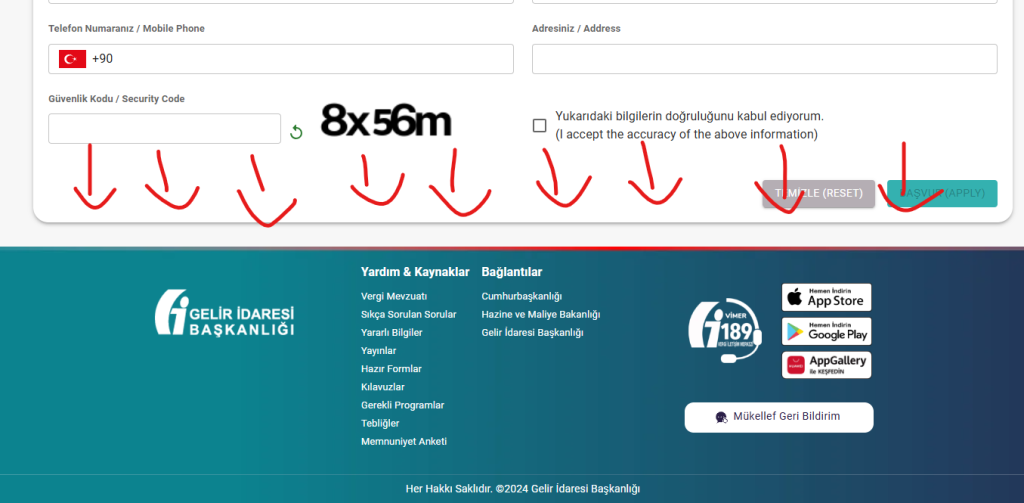
- Then if you have the need to close the window, you can close it after you already sure that you got the tax number you need. In the PDF it should said your “Potential Tax Number”

If something happens during your form filling and/or you can’t receive your potential tax number, I’m afraid you need to go to the Tax Office.
Don’t worry, it’s not the end of the world. It’s only that you need to spend more time to make the tax number. The employee in the tax office will try their best to help you.
Hope this helps!


